
How to design your plaque
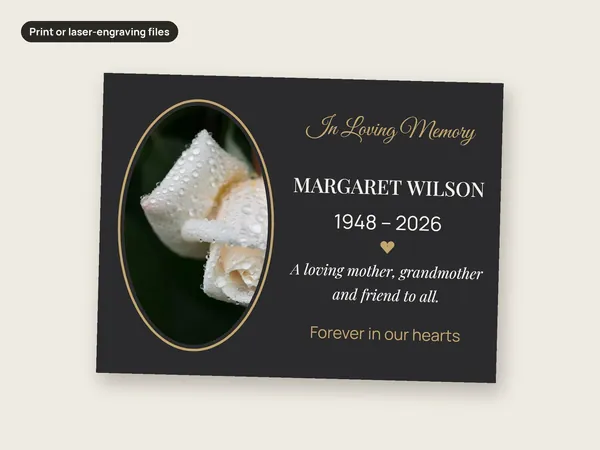
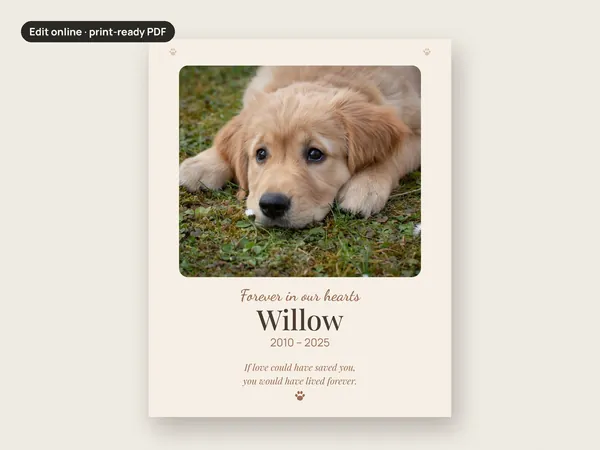
- Choose a design and size: oval photo, words only, or a pet design.
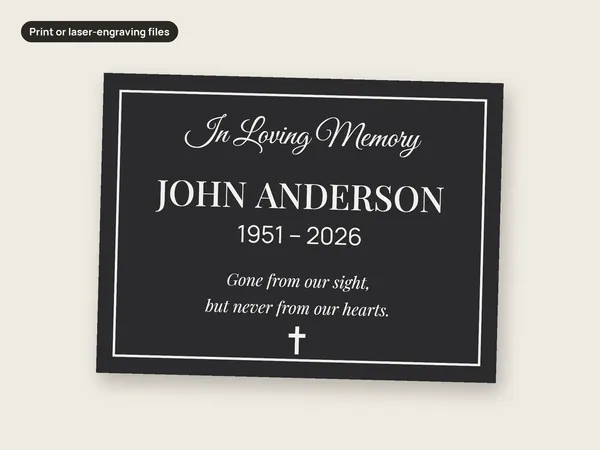
- Add the photo and change the words: name, dates and verse.
- Choose the finish: Color print for a UV-printed slate, or Laser engraving to see the photo as engraving dots.
- Download the files and send them to the engraver or print shop.
Memorial stone and plaque ideas
Where to place it
- A garden stone under a favorite rosebush or tree, or in a flower bed they loved.
- A memorial bench plaque at the park, beach or walk they took every day (ask the town or park first).
- A tree-planting plaque on a small stake next to a tree planted in their name.
- A grave marker while the headstone is being made, or for a cremation plot.
- A keepsake on a shelf, with a small stand, next to their urn or photo.
Materials
- Slate: natural, rustic edges, weathers well outside. Engraving shows light grey; UV printing gives full color.
- Black granite: the most lasting. Engraved photos look almost like etched pictures.
- Wood: warm, for indoors or a covered spot. Engraving shows dark brown.
- Photo panels and acrylic: full color, light and inexpensive, best indoors.
Wording ideas
- In Loving Memory · Forever in Our Hearts · Always Remembered, Forever Loved · Gone From Our Sight, but Never From Our Hearts.
- The name, the years (1948 – 2026), and a line that sounds like them: a saying, a nickname, a favorite place.
- Keep it short: on a 8 x 6 inch plaque, five short lines plus the name and dates is about the most that reads well from a step away.
Photos that engrave well
- A clear, sharp photo with good light on the face and a plain or blurred background.
- Close-ups work better than group photos: small faces lose detail when engraved.
- Black-and-white photos are fine; the designer turns every photo into engraving dots.
For a pet, see the pet memorial designs. For the service itself, see memorial signs and photo collages.
Guide: How to get a photo engraved on a memorial plaque or stone
Questions
How does it work?
You design the plaque in your browser and download the files. Then a local engraver, trophy shop, sign shop or monument company makes it, or you use your own laser. You pay for the design files here; the stone or wood is bought where it is made.
What files do I get?
With the Color print finish: a full-color PDF at the real size, for a UV printer that prints straight onto slate or a photo panel. With the Laser engraving finish: a 254 dpi PNG of the whole plaque (black = engrave) and an SVG at the real size in millimeters, with the words, symbols and frames as vector outlines and the photo as fine dots.
Can a photo really be engraved?
Yes. A laser cannot engrave shades of grey, so the photo is turned into tiny dots (dithering), the way newspapers print photos. Clear, well-lit photos with a plain background engrave best. Switch the finish to Laser engraving to see a preview.
Slate, granite or wood?
Pick a dark background for slate or black granite: there the laser marks show light. Pick a light background for wood or leather: there the marks show dark. The preview shows which one your design is set up for.
Which size should I choose?
8 x 6 inches (20 x 15 cm) is the most common slate plaque for a pet or a garden; 10 x 8 and 12 x 8 inches (25 x 20 and 30 x 20 cm) leave room for a longer verse. Ask your engraver which blanks they stock and choose the closest.
How can I use it?
As a grave marker or a plaque on a memorial bench, a garden or pet memorial stone, a plaque by a tree planted in their memory, a niche plate at a columbarium, or a keepsake on a shelf at home.
I don't have an engraver or a printer. What can I do?
Email the files to a local engraving or trophy shop, a sign shop or a monument company; many also make plaques for online customers. Makerspaces and some libraries have laser engravers you can book. Send the SVG for engraving or the PDF for a color print, and tell them the size.
Can I share the design?
Yes. Send the PDF or PNG by email or in WhatsApp, iMessage, Messenger or any other chat, so the family can see it before it is made.