

How to make your calendar
- Choose the page size (US Letter, A4 or 11 x 17 inch wall) and the style.
- Pick the year and whether weeks start on Sunday or Monday.
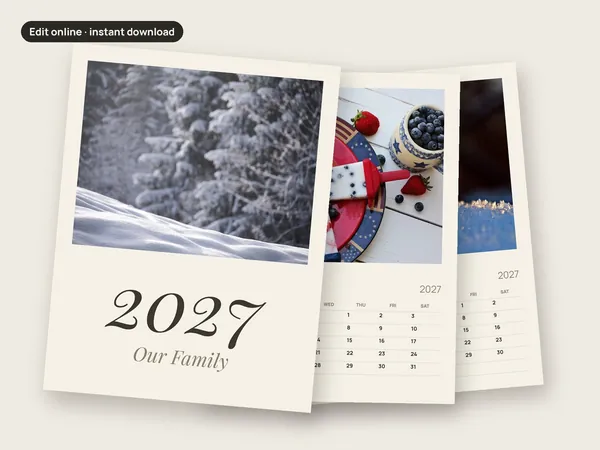
- Go through the pages: tap each page below the preview and add its photo. Change the cover words to your family name.
- Download the 13-page PDF and print it, or take it to a print shop for binding.
Ideas
- A photo of the grandchildren for each month: the classic gift for grandparents.
- Last year's best photo from each month, as a year in review.
- The family pet through the seasons.
Guide: Photo calendar ideas: a theme for every month
Questions
What can I use it for?
A wall calendar for the kitchen or office, a Christmas or New Year gift for grandparents, a year-in-review keepsake, or a desk calendar printed at a smaller size.
Which year can I make?
2026, 2027 or 2028. The months and days are worked out for the year you choose.
Can the week start on Monday?
Yes. Choose Sunday or Monday; every month changes at once.
How do I print and bind it?
Print the 13-page PDF at 100% on heavy paper, single-sided. A print shop such as Staples or FedEx Office can add a wire binding and a hole for hanging, usually for a few dollars.
Are holidays marked?
Not yet. Sundays are marked in the style's accent color. You can add your own text, such as birthdays, anywhere on a page.
Do my photos get uploaded?
No. The calendar is made in your browser and your photos stay on your device.
I don't have a printer. Can I still make it?
Yes. Save the file to a USB stick or email it to a print or copy shop near you, such as Staples, FedEx Office, The UPS Store, Office Depot or a local copy shop. Ask for single-sided pages on heavy paper, and add a wire binding at the same time. Ask them to print at 100% (actual size), not fit to page. Most do it while you wait, for a few dollars.
Can I send it digitally?
Yes. Email the PDF or send it in WhatsApp, iMessage, Messenger, Telegram, Viber, Signal, Instagram or any other chat, for example to relatives who will print it themselves. To have it show as a picture right in the chat instead of a file, open it on your phone and take a screenshot, then send that.