
How to use a reading journal
- Set a goal on the reading goals page: a number of books, or minutes a day.
- Log each book as you finish it, and give it a rating.
- Write the review while it is fresh: three lines are enough.
- Colour a spine on the 100-book bookshelf, and tick any reading challenge prompt it fits.
What is inside
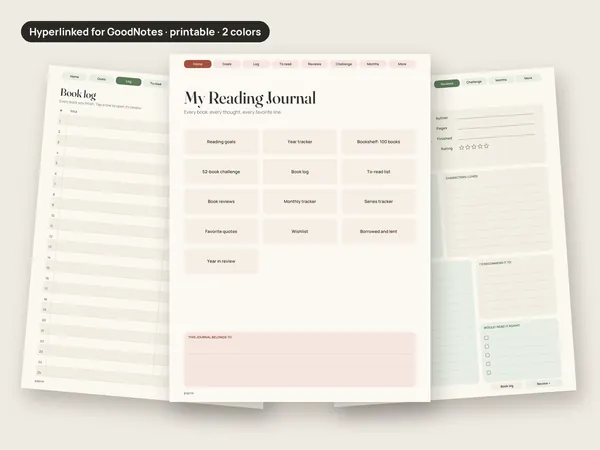
- Book log and reviews: 50 linked review pages in the digital version.
- Trackers: year, month, series, 100-book bookshelf and a 52-book challenge.
- Lists: to-read, wishlist, favourite quotes, borrowed and lent, and a year in review.
Guide: How to start a reading journal, and actually keep it
Questions
What do you write in a reading journal?
The basics for every book (title, author, dates, rating), a few lines on what you thought, favourite quotes and characters, and who you'd recommend it to. Trackers like a book log, a to-read list and a yearly bookshelf show your progress.
Is a digital or a printed reading journal better?
Digital is easy to carry and has links, so a tap on the book log opens each review. Paper is lovely for book clubs and for people who like to write by hand. Ours includes both.
Which apps work with the digital journal?
GoodNotes, Notability, Noteshelf, Samsung Notes, Xodo and any PDF app that keeps links.
Is it dated?
No. Start in any month and use a fresh copy every year.